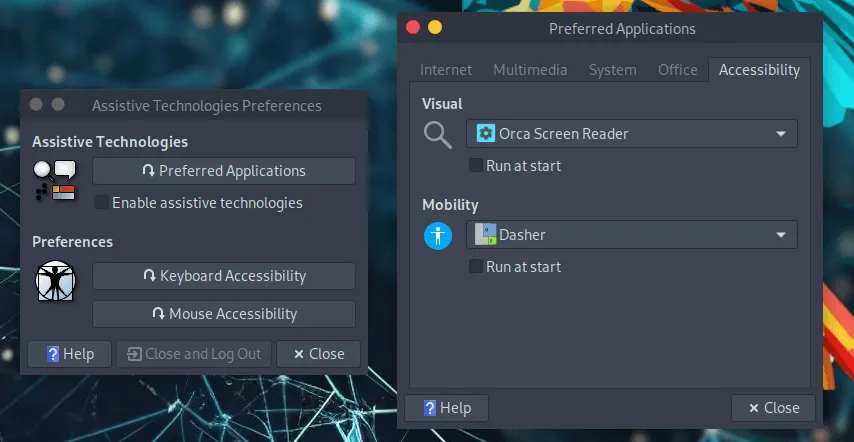
Assistive Technologies
Onscreen Keyboard
Section titled “Onscreen Keyboard”To enable the onscreen keyboard please follow these steps.
From the top panel menu:
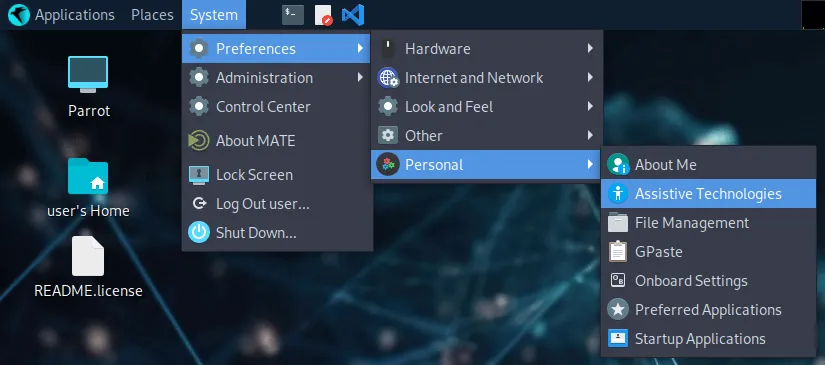
Or from the bottom panel’s searchbar write Assistive Technologies
Then
Enable assistive technologies -> click on Preferred Applications -> select Onboard keyboard -> Run at start.